
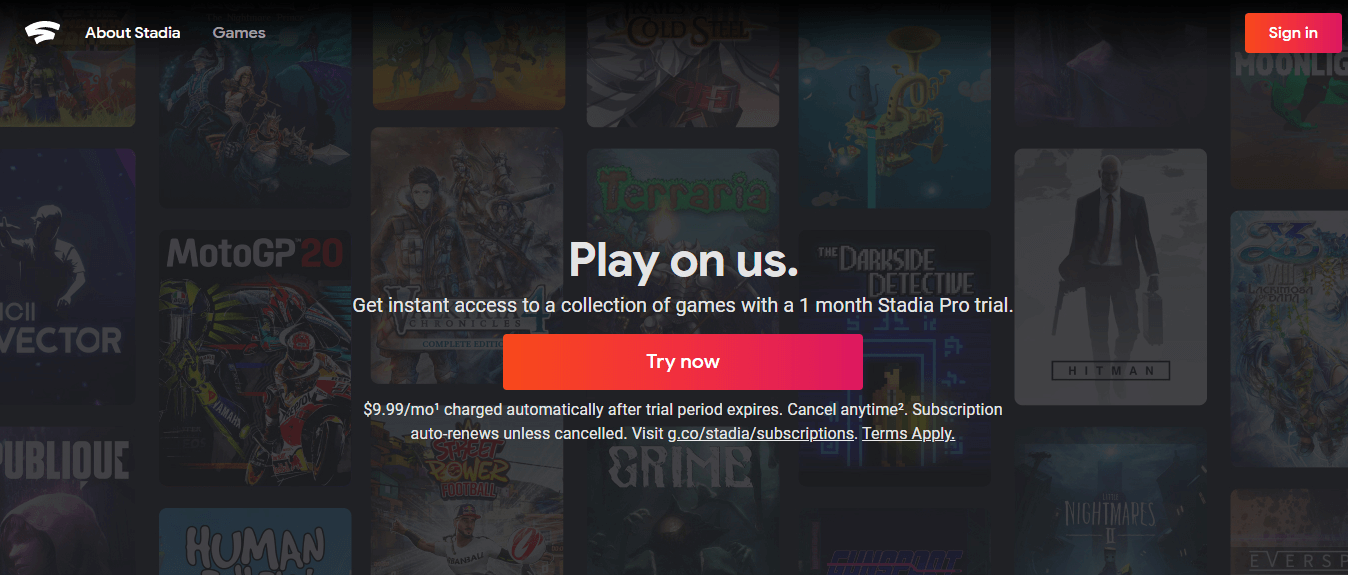
Google Stadia: What It Was, Why It Failed, and the Best Cloud Gaming Alternatives in 2026
Important notice: Google Stadia was permanently shut down on January 18, 2023. This article covers the complete story of what Stadia was, how it worked, why Google closed it, what happened to refunds and games – and the best cloud gaming services you can use right now instead.
Table of Contents
1. What Was Google Stadia?
Google Stadia was a cloud gaming service launched by Google in November 2019. The idea behind it was genuinely exciting: you could play high-quality video games on almost any screen you already owned – your laptop, TV, phone, or tablet – without needing a gaming console or an expensive gaming PC.
Instead of running games on hardware in your home, Stadia ran everything on Google’s powerful servers and streamed the gameplay directly to your screen over the internet. Think of it like Netflix, but for video games. You’d see the game on your screen, press a button on your controller, and that input would travel to Google’s servers, which would process it and send back the video in real time.
At its best, Stadia could deliver 4K resolution at 60 frames per second with HDR colour and 5.1 surround sound – and all you needed was a decent internet connection and a Chrome browser.
It launched with a lot of promise. But on September 29, 2022, Google announced it was shutting Stadia down. The servers went offline on January 18, 2023, ending the service after just over three years.
2. How Google Stadia Actually Worked
To really understand Stadia, you need to understand what made it different from traditional gaming.
When you play a game on a PlayStation or Xbox, the console in your living room does all the hard work – it processes the game, renders the graphics, and outputs video to your TV. That’s why gaming consoles and PCs cost hundreds of dollars. They need powerful chips and memory to do all that work locally.
Stadia flipped this completely. All the processing happened on Google’s data centres – massive server farms packed with powerful hardware. Your device only needed to do two things: display the video stream coming from Google’s servers, and send your controller inputs back to those servers.
This meant you could play games like Cyberpunk 2077 or Red Dead Redemption 2 on a cheap laptop or even a phone, as long as you had a fast enough internet connection.
What you needed to use Stadia:
- A Chrome browser on PC, Mac, or Chromebook, or the Stadia app on Android or iOS
- A minimum internet speed of 10 Mbps (for 720p) – 35 Mbps for 4K
- A supported controller (any USB or Bluetooth controller worked, or the official Stadia Controller)
- A free Stadia account
Supported devices included:
- Chromecast Ultra (plugged into any TV)
- Chrome browser on Windows, Mac, and Chromebook
- Android phones and tablets via the Stadia app
- iPhones and iPads via Safari browser
- Pixel phones had dedicated optimisations
One of Stadia’s genuinely impressive features was how quickly you could jump into a game. There were no downloads, no installs, no updates to wait for. You clicked play, and you were in the game – usually within a few seconds.
3. Google Stadia Pricing – Free vs Stadia Pro
Stadia had two tiers, and a lot of people found this confusing at first.
Stadia Base (Free)
The free tier let you play games you had purchased from the Stadia store at up to 1080p and 60fps. There was no monthly fee. You just bought a game once – much like buying a digital game on Steam – and played it whenever you wanted.
Stadia Pro ($9.99/month)
Stadia Pro was a subscription that gave you:
- Up to 4K streaming (where supported by the game)
- HDR and 5.1 surround sound
- Free games added to your library every month (similar to PlayStation Plus)
- Discounts on game purchases
Stadia Pro subscribers could claim free games each month and keep them as long as their subscription was active. If you cancelled and resubscribed later, the claimed games came back.
The Stadia Premiere Edition
This was a hardware bundle that included the Stadia Controller and a Chromecast Ultra for £119/$129. It was the easiest way to play Stadia on your TV. Google also sold just the controller separately for £59/$69.
Also Read:
4. The Complete Google Stadia Games Library
Before it shut down, Stadia had over 330 games available. Here is the full library as it existed at the time of shutdown in January 2023:
A Place for the Unwilling, ARK: Survival Evolved, Ary and the Secret of Seasons, Assassin’s Creed Black Flag, Assassin’s Creed Black Flag Gold Edition, Assassin’s Creed Odyssey – Stadia Ultimate Edition, Assassin’s Creed Origins, Assassin’s Creed Origins – Deluxe Edition, Assassin’s Creed Origins – Gold Edition, Assassin’s Creed Rogue Remastered, Assassin’s Creed Syndicate, Assassin’s Creed Syndicate Gold Edition, Assassin’s Creed Unity, Assassin’s Creed Valhalla, Assassin’s Creed Valhalla Gold Edition, Assassin’s Creed Valhalla Ultimate Edition, Attack on Titan 2: Final Battle, AVICII Invector, Baldur’s Gate 3 Early Access, Ben 10: Power Trip, Bloodstained: Ritual of the Night, Blue Fire, Borderlands 3, Borderlands 3: Super Deluxe Edition, Borderlands 3: Ultimate Edition, Cake Bash, Celeste, Child of Light, Chronos: Before the Ashes, Control Ultimate Edition, Cosmic Star Heroine, Crayta, Cris Tales, Cyberpunk 2077, Darksiders Genesis, Darksiders II Deathinitive Edition, Darksiders III, Darkwood, Dead by Daylight, Destiny 2, Destroy All Humans!, DIRT 5, Disco Elysium – The Final Cut, DOOM, DOOM 64, DOOM Eternal, DOOM Eternal Deluxe Edition, DRAGON BALL XENOVERSE 2, DRAGON BALL Z: KAKAROT, DRAGON QUEST XI S: Echoes of an Elusive Age, El Hijo – A Wild West Tale, Enter The Gungeon, F1 2020, Far Cry 5, Far Cry 6, Far Cry New Dawn, Farming Simulator 19, Farming Simulator 22, FIFA 21, FIFA 22, FINAL FANTASY XV, FORECLOSED, Ghost Recon Wildlands, Gods Will Fall, GRID, GRIME, GYLT, Hello Neighbor, Hellpoint, HITMAN, HITMAN 2, HITMAN 3, Hotline Miami, Hotline Miami 2, HUMANKIND, Immortals Fenyx Rising, Into the Breach, Journey to the Savage Planet, Judgment, Just Dance 2021, Just Dance 2022, Katamari Damacy REROLL, Life is Strange Remastered, Life is Strange: True Colors, Little Nightmares, Little Nightmares II, Madden NFL 21, Madden NFL 22, Mafia III: Definitive Edition, Marvel’s Avengers, Metro 2033 Redux, Metro Exodus, Metro Last Light Redux, Monopoly, Monster Boy and the Cursed Kingdom, Mortal Kombat 11, Mortal Kombat 11 Ultimate, NBA 2K20, NBA 2K21, OCTOPATH TRAVELER, Orcs Must Die! 3, OUTRIDERS, Outward, PAC-MAN Mega Tunnel Battle, PUBG: Battlegrounds, RAGE 2, RAINBOW SIX: Extraction, Red Dead Redemption 2, Red Dead Redemption 2: Ultimate Edition, Resident Evil 7 biohazard Gold Edition, Resident Evil Village, Riders Republic, Rise of the Tomb Raider, Risk of Rain 2, Saints Row IV: Re-Elected, Saints Row: The Third – Remastered, Scott Pilgrim vs. The World – Complete Edition, Sekiro: Shadows Die Twice, Serious Sam 4, Shadow of the Tomb Raider Definitive Edition, Sniper Elite 4, Spiritfarer, SpongeBob SquarePants: Battle for Bikini Bottom Rehydrated, STAR WARS Jedi: Fallen Order, SteamWorld Dig, SteamWorld Dig 2, SteamWorld Heist, Streets of Rage 4, SUPERHOT, SUPERHOT: MIND CONTROL DELETE, Terraria, The Crew 2, The Division 2, The Elder Scrolls Online, The Falconeer, The Jackbox Party Pack 8, The Legend of Heroes: Trails of Cold Steel III, The Legend of Heroes: Trails of Cold Steel IV, Tom Clancy’s Ghost Recon Breakpoint, Tom Clancy’s Rainbow Six Siege, Tomb Raider: Definitive Edition, Trials Rising, Trine 4: The Nightmare Prince, UNO, Valkyria Chronicles 4, Watch Dogs: Legion, Watch Dogs 2, Wolfenstein: Youngblood, WWE 2K Battlegrounds, Ys IX: Monstrum Nox, Ys VIII: Lacrimosa of DANA, Zombie Army 4: Dead War, and many more.
Note: These games are no longer available on Stadia as the service is closed. However, the vast majority of these titles are available on other platforms including Steam, PlayStation, Xbox, and cloud gaming services like GeForce NOW and Xbox Cloud Gaming.
5. The Google Stadia Controller – Specs and Can You Still Use It?
If you owned a Stadia Controller and are wondering what to do with it now that Stadia is gone – good news. You can still use it.
How the Stadia Controller Originally Worked
The Stadia Controller was unique because it connected directly to Google’s servers over Wi-Fi, rather than connecting to your TV or phone the normal way. This reduced input lag significantly, since the controller’s signal went straight to the servers that were processing your game. It had a comfortable design similar to a PlayStation controller but with Xbox-style button placement.
Controller specs:
- Wi-Fi: Dual-band (2.4 GHz / 5 GHz)
- Bluetooth Low Energy 4.2 (added via firmware update)
- Headphone jack: 3.5mm
- USB-C port for charging and wired connection
- Weight: 268 grams
- Buttons: Google Assistant button, Capture button, standard face buttons, triggers, and bumpers
Can You Still Use the Stadia Controller?
Yes – but you need to use it either as a wired USB controller, or update its firmware to enable Bluetooth.
Before Stadia shut down, Google released a firmware update that converted the controller from a Wi-Fi device into a standard Bluetooth Low Energy gamepad. This was a genuinely thoughtful move – it meant your controller could live on as a fully functional wireless gamepad for PC, Android, Mac, and other devices.
The official update tool at stadia.google.com/controller is no longer available. However, the community has preserved the firmware. A developer named Christopher Klay has hosted a working version of the update tool on his GitHub page. You plug your controller in via USB-C, run the tool in a Chrome browser, and follow the on-screen steps. The process takes about three minutes and is permanent – once switched to Bluetooth, you cannot go back to Wi-Fi mode.
What the Stadia Controller works with in Bluetooth mode:
- Windows 10 and 11 (including Steam)
- macOS 13 and above (including Steam)
- Android phones and tablets
- ChromeOS
- Most devices that accept Bluetooth controllers
What to know before converting:
- The headphone jack does not work in wireless Bluetooth mode (it works fine when connected via USB)
- The Google Assistant and Capture buttons have no function after conversion, but they can be remapped
- Haptic rumble may not work on all systems
- You can still use the controller fully wired via USB-C regardless of whether you update it
If you have a Stadia Controller sitting in a drawer, it is worth updating. It is a genuinely good controller and works well for cloud gaming, PC gaming, and Android gaming.
6. Why Did Google Stadia Fail? The Real Reasons
Google Stadia had impressive technology. So why did it fail? There were several real reasons, and together they paint a clear picture.
Reason 1: The Game Library Was Too Small at Launch
When Stadia launched in November 2019, it had 22 games. That’s it. PlayStation 4 launched with 32 games in 2013, and Xbox One launched with 23. For a brand new gaming platform trying to convince people to pay $130 for a hardware bundle, 22 games wasn’t enough – especially when there were no exclusives worth getting excited about. The one genuine exclusive, GYLT, was a small indie game. Nothing system-selling.
Over time the library grew to over 330 titles, but it never had the blockbuster exclusives that make people choose a platform.
Reason 2: Pricing Was Genuinely Confusing
People didn’t understand how Stadia worked. If it was a subscription service, why did you also have to buy games? If you bought games, why did you need a subscription? The two-tier system – free base tier plus Stadia Pro – made sense logically, but it was hard to communicate quickly. Early marketing leaned too heavily on the tech instead of making it clear what the actual value proposition was.
Reason 3: Internet Infrastructure Wasn’t Ready Everywhere
Stadia’s best experience required 35 Mbps for 4K. In 2019-2022, that was simply not reliable in huge parts of the world – and even in places with fast internet, consistency was the problem. Latency (the delay between pressing a button and seeing it happen on screen) was Stadia’s biggest technical challenge, and it was genuinely noticeable in fast-paced games. For casual games it was fine. For competitive shooters or fighting games, it was frustrating.
Reason 4: Xbox Game Pass Ultimate Made the Value Look Poor
Microsoft launched Xbox Game Pass Ultimate with cloud gaming (xCloud) included for $14.99 per month. For that price, you got access to hundreds of games – including day-one releases from Xbox Game Studios – and you could stream them to your phone or PC. Stadia Pro at $9.99 got you a handful of free games per month and better resolution. The comparison was brutal for Stadia.
Reason 5: Google’s Reputation for Killing Products
This is the one nobody at Google wanted to talk about, but it was real. Google has a long history of launching products with fanfare and then quietly shutting them down – Google+, Google Play Music, Google Inbox, Google Hangouts, Google Stadia. Users had seen it happen before, and many were reluctant to invest in a gaming platform from a company with that track record. Why buy $100 worth of games on a platform that might disappear? It turned out they were right to worry.
What Phil Harrison Said
When Google announced the shutdown on September 29, 2022, Phil Harrison – the Vice President and General Manager of Stadia – said: “While Stadia’s approach to streaming games for consumers was built on a strong technology foundation, it hasn’t gained the traction with users that we expected.”
Stadia had missed its user acquisition targets by hundreds of thousands of players as early as 2021. The writing had been on the wall for a while.
7. Google Stadia Shutdown – What Happened to Refunds and Your Games
When Google announced the shutdown, they made one decision that deserves genuine credit: they refunded everything.
What Was Refunded
- All Stadia hardware purchases made through the Google Store (Stadia Controller, Founder’s Edition, Premiere Edition, Play and Watch with Google TV packages)
- All game and add-on purchases made through the Stadia Store
- In-game currency purchased through the Stadia Store
What Was NOT Refunded
- Stadia Pro monthly subscription fees paid before September 29, 2022 (the announcement date)
- Hardware bought in physical retail stores like Best Buy (only online purchases were eligible)
If you were an active Stadia Pro subscriber when the announcement was made, your subscription continued for free until the January 18 shutdown date.
How the Refund Process Worked
Starting November 9, 2022, Google began automatically processing refunds to the original payment method used for each purchase. Customers with fewer than 20 purchases received individual emails per transaction. Customers with 21 or more purchases received one summary email.
For cases where the original payment method was no longer active, Google partnered with a platform called Payoneer to facilitate refunds through an alternative method.
The refund process was largely complete by the January 18, 2023 shutdown date.
What Happened to Saved Game Progress
This was the part that hurt the most. Saved game data on Stadia was hosted on Google’s servers. Once the servers went offline, that data was gone. Google gave users access to Google Takeout to export any data that could be saved before the shutdown, but not all game progress could be transferred.
Some publishers went above and beyond to help Stadia players:
- Ubisoft offered to transfer Stadia game libraries to Ubisoft Connect (PC) for free
- Bungie implemented cross-save for Destiny 2 so progress could carry over
- Bethesda gave Stadia players a free copy of Elder Scrolls Online for PC and Mac
- IO Interactive (Hitman) created a process to transfer progress if players linked their IOI account before shutdown
- CD Projekt Red allowed Cyberpunk 2077 save transfers via Google Takeout
Not all publishers helped, and some games – like the multiplayer game Outcasters – simply went offline permanently with no migration option.
8. Best Google Stadia Alternatives in 2026
Stadia is gone, but cloud gaming is very much alive. There are several excellent services you can use right now. Here is an honest breakdown of the best options.
Quick Comparison Table
| Service | Price/Month | Free Tier | Max Quality | Best For |
|---|---|---|---|---|
| NVIDIA GeForce NOW | Free / $10 / $20 | Yes (1-hour sessions) | 4K 240fps | PC gamers with Steam/Epic libraries |
| Xbox Cloud Gaming | Included in Game Pass Ultimate ($15) | No | 1080p 60fps | Console gamers wanting flexibility |
| PlayStation Plus Premium | $18 | No | 1080p | PlayStation fans and Sony library |
| Amazon Luna | $10 | Prime members get some games | 1080p 60fps | Casual gamers on Amazon devices |
| Boosteroid | $10 | No | 1080p 60fps | Budget-friendly all-rounder |
| Shadow PC | $30 | No | 4K | Full Windows PC in the cloud |
NVIDIA GeForce NOW – Best Overall
GeForce NOW is the strongest cloud gaming service available in 2026. What makes it different from every other service is that it lets you play games you already own – on Steam, Epic Games Store, GOG, and Ubisoft Connect – without buying them again.
You connect your existing game library, and GeForce NOW streams those games using NVIDIA’s powerful RTX hardware in their data centres.
Tiers:
- Free: 1-hour sessions, standard GPU, may wait in queue
- Performance ($9.99/month): 6-hour sessions, RTX on, priority access
- Ultimate ($19.99/month): Up to 4K at 240fps, RTX 4080-level GPU, 8-hour sessions
Best for: PC gamers who already have games on Steam or Epic and want to play them anywhere without lugging a gaming laptop around.
Supported devices: Windows, Mac, Android, iOS (Safari), Chromebook, NVIDIA Shield, Smart TVs, Amazon Fire TV
Xbox Cloud Gaming – Best for Game Pass Subscribers
Xbox Cloud Gaming is included in Xbox Game Pass Ultimate at $14.99 per month. That subscription also gives you access to hundreds of games to download on Xbox and PC – so you’re getting a lot of value in one package.
The streaming quality sits at 1080p and 60fps for most games, which is good but not as sharp as GeForce NOW’s top tier. The big advantage is the game library – Microsoft adds first-party Xbox Game Studios titles on day one, meaning you can play new releases like the latest Halo, Forza, or Gears of War titles the moment they launch, via the cloud, on your phone or tablet.
Best for: Gamers who want a huge library of included games and flexibility to play on multiple devices.
Supported devices: Xbox consoles, Windows PC, Android, iOS (browser), Chromebook, Amazon Fire TV Stick 4K
PlayStation Plus Premium – Best for PlayStation Fans
Sony’s PlayStation Plus Premium tier ($17.99/month in the US) includes access to a large library of PS4 and PS5 games to stream via the cloud. The library leans heavily on Sony’s own first-party titles – games like God of War, Horizon, Spider-Man, and The Last of Us.
Unlike Xbox Game Pass, Sony doesn’t typically add new first-party games to the streaming library on day one. But the back catalogue is enormous, and the quality of the games is consistently high.
Best for: PlayStation owners who want to access Sony’s classic and modern library without downloading everything, or who own a PlayStation Portal handheld.
Supported devices: PS5, PS4, Windows PC (browser)
Amazon Luna – Best Budget Option
Amazon Luna starts at around $9.99 per month and is one of the more affordable options. Amazon Prime members also get access to a selection of games included with their Prime subscription at no extra cost.
Luna streams at 1080p and 60fps, which is solid. The game library is decent but not as deep as Xbox or PlayStation. It works well on Amazon Fire TV devices, which makes sense given Amazon’s ecosystem.
Best for: Casual gamers, Amazon Prime members, and people on a budget.
Supported devices: Windows, Mac, Chromebook, iOS, Android, Amazon Fire TV
Boosteroid – Good Budget Alternative
Boosteroid is a cloud gaming service based in Europe that has been growing steadily. It supports games from Steam, Epic, and Ubisoft Connect – similar to GeForce NOW – but at a lower price point. Plans start around $9.99/month.
Performance is solid at 1080p/60fps, and it has good server coverage in Europe and the US. If GeForce NOW is out of your budget, Boosteroid is worth a look.
Best for: Budget-conscious gamers in Europe or anyone looking for a GeForce NOW alternative.
Shadow PC – For Power Users Who Want a Full PC
Shadow PC is different from all the others. Instead of streaming specific games, it gives you a full Windows PC in the cloud – with its own storage, a proper desktop, and hardware you can use to install any software, not just games.
This means you can install Steam, Epic, Battle.net, and any other launcher, then play whatever you want. It’s the most versatile option but also the most expensive at around $29.99/month.
Best for: Gamers who want a proper cloud PC they can use for gaming and other tasks, without buying physical hardware.
9. FAQs About Google Stadia
Is Google Stadia still available?
No. Google Stadia was permanently shut down on January 18, 2023. The servers are offline, and you can no longer access the service, your game library, or your saved data. The Stadia website now redirects to a notice about the shutdown.
When did Google Stadia shut down?
Google announced the shutdown on September 29, 2022, and the service officially went offline on January 18, 2023. Players had access to their game libraries until that final date.
Did Google refund Stadia purchases?
Yes. Google refunded all hardware purchases (Stadia Controller, Founder’s Edition, Premiere Edition) made through the Google Store, and all game and add-on purchases made through the Stadia Store. Stadia Pro monthly subscriptions paid before the September 29, 2022 announcement were not refunded. Refunds were processed starting November 9, 2022, with the majority completed by the January 18, 2023 shutdown date.
Can I still use my Stadia Controller?
Yes, but with limitations. You can use the Stadia Controller as a wired USB-C gamepad on any device with a USB port – no update needed for this. To use it wirelessly via Bluetooth, you need to flash a firmware update. The official Google tool is no longer available, but a community-maintained version is hosted on GitHub by developer Christopher Klay. Once updated, the controller works as a standard Bluetooth gamepad on Windows, Mac, Android, and ChromeOS.
Why did Google Stadia fail?
Several factors contributed. The game library was too small at launch. The pricing model confused people. Internet speeds weren’t fast or consistent enough in many markets. Microsoft’s Xbox Game Pass Ultimate offered dramatically better value. And Google’s reputation for shutting down services made potential customers hesitant to invest. Stadia missed its user acquisition targets by hundreds of thousands as early as 2021.
What replaced Google Stadia?
No single service replaced Stadia directly, but the cloud gaming space has several strong options. NVIDIA GeForce NOW is widely considered the best overall service. Xbox Cloud Gaming (included with Game Pass Ultimate) has the deepest game library. PlayStation Plus Premium is the best option for Sony fans. Amazon Luna is the most affordable.
How many users did Google Stadia have?
Google never officially disclosed active user numbers. Reporting from early 2021 indicated that Stadia had missed its internal user targets by “hundreds of thousands.” The platform never gained the mainstream audience Google had hoped for.
What happened to games people bought on Stadia?
Once the servers shut down on January 18, 2023, all purchased games became inaccessible. Google refunded the purchase price of all games, so players got their money back. Some publishers – including Ubisoft, Bethesda, and Bungie – offered ways to migrate game libraries or saves to other platforms before the shutdown.
Will Google launch another gaming service?
Google has not announced any plans for a new consumer gaming service. After Stadia’s closure, Phil Harrison noted that the underlying streaming technology would be applied to other Google products like YouTube and Google Play. As of 2026, there has been no public announcement of a new gaming platform from Google.
What is the best cloud gaming service in 2026?
NVIDIA GeForce NOW is the best overall option, especially if you already have games on Steam or the Epic Games Store. Xbox Cloud Gaming (via Game Pass Ultimate) is the best option if you want a large included game library and day-one access to new Xbox titles. PlayStation Plus Premium is the best pick for Sony fans.
Summary
Google Stadia was a genuine technological achievement that arrived at the wrong time, with the wrong pricing, and from a company that hadn’t earned enough trust in the gaming community. When it worked well, it really worked well – playing Red Dead Redemption 2 on a laptop browser with no install was impressive. But the game library never reached critical mass, the competition was fierce, and ultimately not enough people stuck around.
The shutdown on January 18, 2023 was disappointing, but Google handled it better than expected – full refunds on hardware and software, and a Bluetooth firmware update for the controller that gave the hardware a second life.
Cloud gaming itself is alive and growing. NVIDIA GeForce NOW, Xbox Cloud Gaming, PlayStation Plus Premium, and Amazon Luna have all improved significantly since 2023, and the technology is better than ever. If Stadia’s promise appealed to you, these services deliver on it – with bigger libraries, better infrastructure, and companies that appear committed to keeping them running.
Last updated: March 2026 | Author: Sai, tech writer covering cloud gaming, Google products, and digital entertainment.




You should be a part of a contest for one of the best blogs on the web.
I am going to highly recommend this site!
I am really enjoying the theme/design of your website.
Do you ever run into any web browser compatibility issues?
A number of my blog readers have complained about my website not working correctly in Explorer but looks great in Safari.
Do you have any tips to help fix this problem?
Great web site you’ve got here.. It’s difficult to find excellent
writing like yours these days. I truly appreciate people like
you! Take care!!